
MS Office 365: Excel, Word, PPT, Outlook
Learn the everyday Microsoft Office 2024/365 apps: Word, Excel, PowerPoint, Outlook and Access, from basic to advanced.
Course highlights
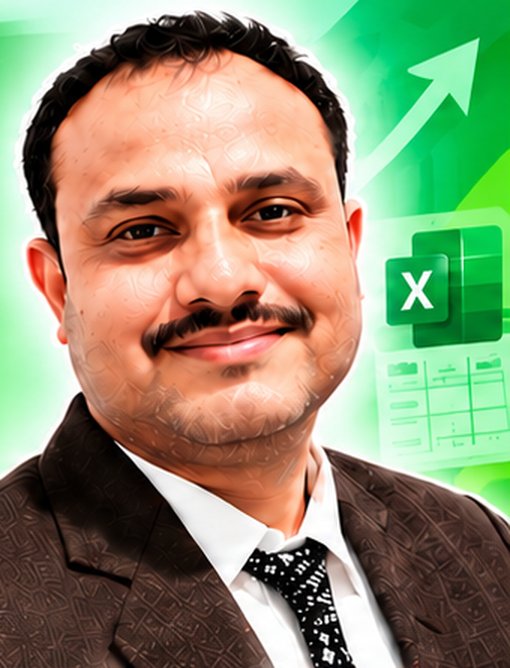
Sujeet Sir
21 Years Exp.
Excel | VBA | Power BI | SQL | Python
Data Analytics Expert & Corporate Trainer
- Sujeet Kumar Singh (MCA), founder of IPT Excel School since 2007
- Worked as MIS Executive and VBA Developer in 10+ companies
- Report consultant for 40+ organizations
What you will learn
Editing, styles, tables, page layout and printing.
Mail merge, forms, tables of contents, macros and VBA basics.
Formulas, functions, charts, filters, tables and auditing.
Slide masters, animations, SmartArt and custom slide shows.
E-mail, contacts, rules, signatures and collaboration.
Tables, queries, forms and reports.
BENEFITS
- Be confident with daily office software
- Prepare documents and presentations faster
- Get ready for entry-level office jobs
YOUR GOAL
Handle everyday office work quickly and neatly.
WHO SHOULD LEARN
Beginners and job seekers who need office skills.
COURSE OUTLINE
⬇ Download PDFWord - basic, intermediate and advanced
- Basic : The Word window, new documents, editing, text and paragraph formatting, tables, page layout, graphics, proofing, printing and exporting
- Intermediate : Styles and outlines, table formatting, illustrations, advanced document formatting, document sharing, mail merge
- Advanced : Forms, objects and charts, tables of contents, indexes and footnotes, ribbon customisation, building blocks, master documents, macros and VBA basics
Excel - basic and intermediate
- Basic : The Excel environment, entering and editing data, formulas, modifying worksheets, functions, formatting, charts, graphics and printing
- Intermediate : Managing large workbooks, linking worksheets and workbooks, advanced formatting, outlining and subtotals, cell and range names, sorting, filtering and tables, web features, auditing, templates
PowerPoint - basic and advanced
- Basic : The interface, creating presentations, slides, shapes, WordArt and pictures, tables and charts, SmartArt, preparing and printing
- Advanced : Slide masters and transitions, media and animations, custom slide shows, action buttons, equations, integrating Office files, finalising and distributing presentations
Outlook - basic and advanced
- Basic : E-mail basics, attachments, e-mail management, contacts, tasks, appointments, meeting requests
- Advanced : Customising Outlook, signatures, voting buttons, out-of-office messages, rules, mailbox management, searching, notes and journals, collaboration
Access - basic
- Database concepts
- Planning databases
- Tables, fields and records
- Field properties and validation rules
- Basic queries
- Forms and reports
COURSE DETAILS
| Duration | Flexible |
|---|---|
| Level | Intermediate |
| Class time | Mon to Fri: 1 hour daily, or Sat and Sun: 2-hour classes |
| Batch size | 1 to 3 students (one-to-one or small group) |
| Mode | Live online on Google Meet |
| Language | Hindi or English |
| Certificate | Yes, with real project work |
| Support | Phone and Google Meet doubt support |
| Demo | Free 3-4 day demo class |
| Fees | Contact Sujeet Sir: +91 88025 79388 |
HOW IT IS TAUGHT
Live on Google Meet by Sujeet Sir in Hindi or English, with real company examples, projects, a certificate and doubt support on phone after the course.
Join a free demo
Questions about this course
What is the fee of the MS Office 365: Excel, Word, PPT, Outlook course?
Fees depend on one-to-one or group batch. Contact Sujeet Sir on +91 88025 79388 or WhatsApp for the current fee.
Is there a free demo?
Yes. Join the 3-4 day free demo before you pay.
Which language is it taught in?
Hindi or English, as you prefer.